PetDNA guide
The Best Photo for Pet Breed Identification
The best breed-identification photo is sharp, evenly lit, and shows one pet from head to tail in a natural standing pose. Good framing helps PetDNA notice more distinctive details and build a richer, more personal report.
Updated
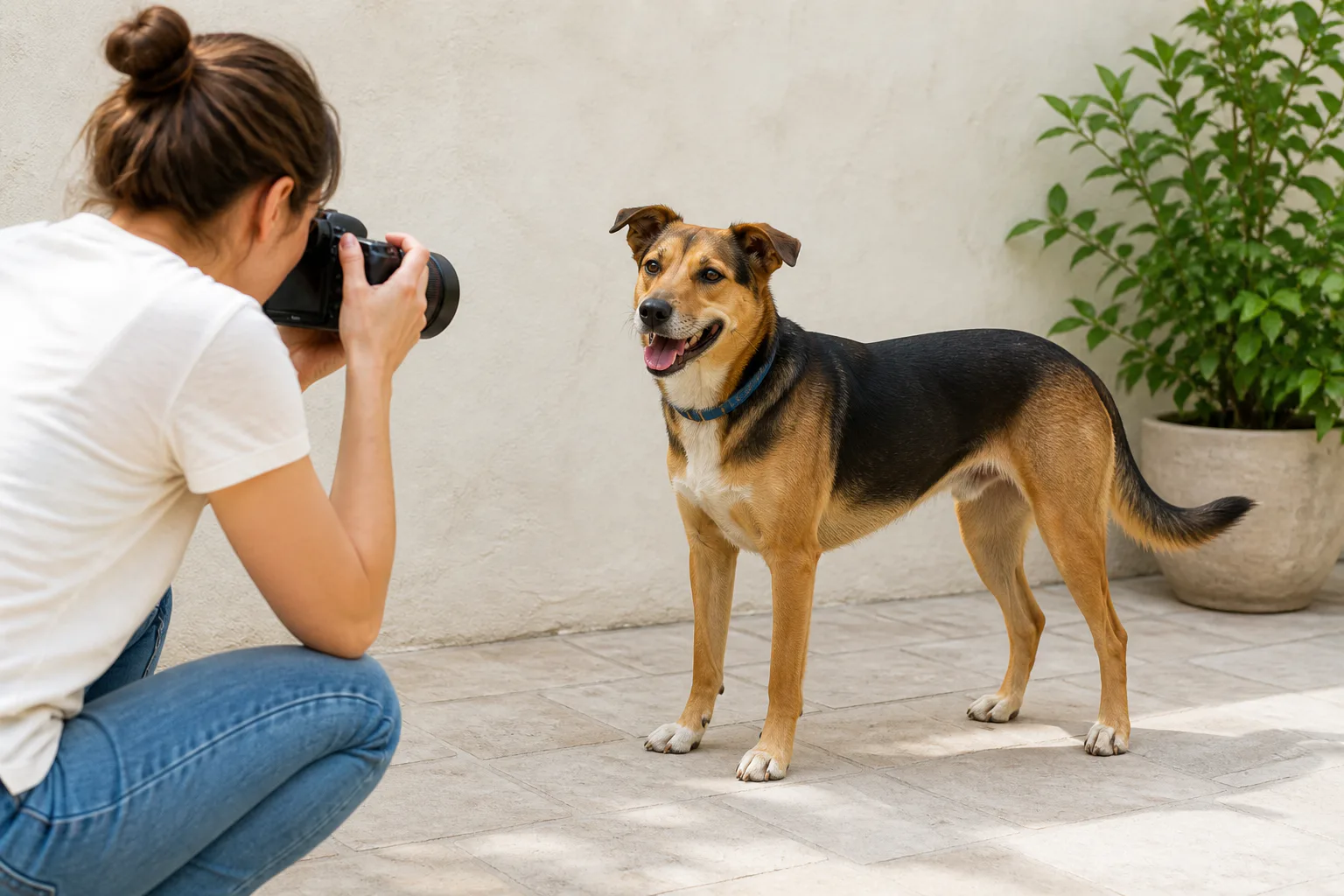
How to take a useful pet breed identification photo
- 1
Find even light
Move outdoors into open shade or stand near a bright window, avoiding harsh flash and deep shadows.
- 2
Show the full outline
Frame the face, ears, body, legs, paws, coat, and tail with a little space around the pet.
- 3
Use a natural angle
Photograph at the pet’s eye level from the front or a three-quarter view without wide-angle distortion.
- 4
Check before uploading
Choose the sharpest frame and reject images obscured by motion, clothing, blankets, or filters.
Use soft, even light
Open shade outdoors is usually ideal. It keeps coat detail visible without the hard contrast of direct midday sun. Indoors, face the pet toward a large window. Avoid placing a bright window behind the animal because the body may become a dark silhouette.
Flash can create harsh reflections in the eyes and flatten coat colour. Low indoor light encourages motion blur, especially with active pets. If the eyes, whiskers, or coat edges look soft when you zoom in, take another photo before uploading.
Include the features that separate similar animals
Frame the whole outline when you can. The face and ears matter, but so do chest width, back length, leg proportions, paws, coat texture, markings, and tail. For birds or reptiles, include the complete body and any distinctive plumage, scales, crest, limbs, or tail.
Remove clothing, harness panels, costumes, and blankets that hide the body. A simple collar is usually fine. Brush long fur only as you normally would; heavy grooming can make the coat look unlike its everyday texture.
Try a visual pet breed analysis
Upload one clear photo for a free preview, then explore likely matches, distinctive traits, origins, temperament, adaptations, and history in the complete report.
Analyse a pet photoChoose a natural pose and camera distance
Photograph at the animal’s eye level instead of pointing steeply down. Stand far enough away that a phone’s wide-angle lens does not enlarge the nose or shrink the body. A front or three-quarter standing view balances facial and structural information.
Ask another person to attract the pet’s attention with a quiet sound or favorite toy held near the camera. Do not force an uncomfortable posture. A calm, natural stance is more useful than a perfectly symmetrical pose created under stress.

Select one strong image before you upload
Review the burst or short sequence at full size. Pick the image with the sharpest eyes, clear body outline, neutral colour, and fewest obstructions. Crop only enough to remove distractions; leave all important features inside the frame.
Try a second angle when the original hides a key feature. A profile may reveal muzzle shape and body length, while a three-quarter view captures expression, chest, legs, coat, and tail together. Choose the result that best reflects the clearest, most complete photograph.
Frequently asked questions
Is a face-only photo enough?
It may produce suggestions, but a full-body view adds build, leg, coat, and tail information that can separate similar matches.
Should I upload several pets in one photo?
No. Use a photo with one clear subject so visible features are not mixed between animals.
Related PetDNA guides
What Breed Is My Dog From a Photo?
Learn how to photograph your dog, discover likely breed matches, and use the full PetDNA report to explore traits, origins, and history.
How Accurate Are Pet Breed Scanner Apps?
Learn what improves pet breed scanner results, how to read each match, and how PetDNA turns a clear photo into a richer pet story.